
Last updated: September 2026. We review this guide every three months to reflect changes in Colombian immigration rules.
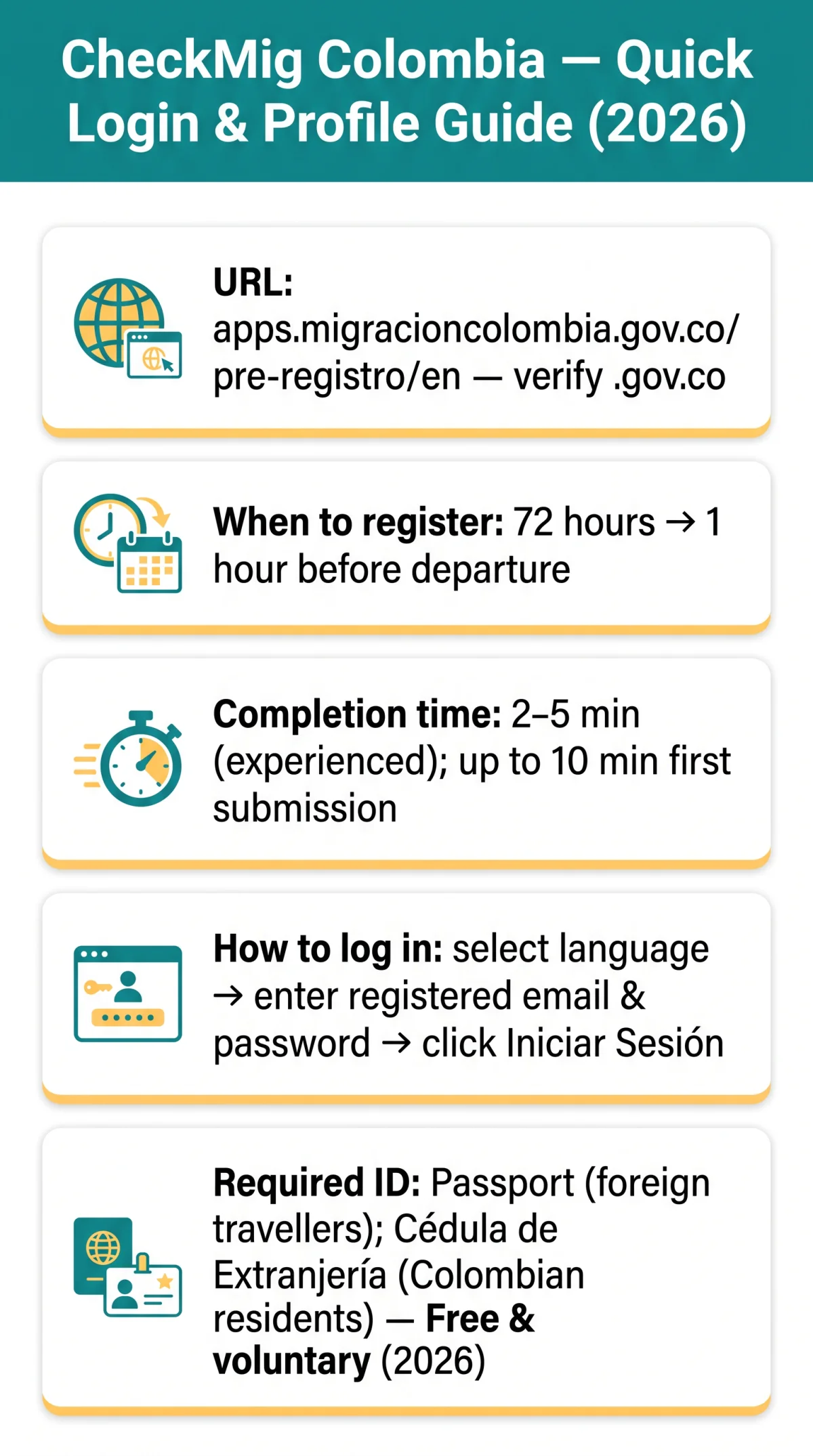
To complete the check mig colombia login process, navigate to apps.migracioncolombia.gov.co/pre-registro/en, enter your registered email and password, and select Iniciar Sesión. The Check Mig Colombia login and profile management system is operated by the Special Administrative Unit Migración Colombia for foreigners entering or leaving Colombia. UK travellers can pre-register trip details between 72 hours and 1 hour before departure. CheckMig was adopted in 2020 for touchless COVID-era entry, received a major platform update in late 2023, and health screening questions have since been removed. As of 2026, CheckMig is a free, voluntary digital immigration form, but strongly recommended to reduce waiting times at migration control posts (Puestos de Control Migratorio, PCM).
Check Mig is free (gratuito) – you never need to pay a third party to complete it.
How to Log In to Your Check Mig Colombia Account
The Check Mig Colombia login page requires you to enter your registered email and password on the Migración Colombia portal and click Iniciar Sesión; complete two-factor authentication if prompted.

Navigate to the portal
Go to apps.migracioncolombia.gov.co/pre-registro/en. Verify the .gov.co domain to confirm you are on the correct platform and not a third-party site.
Select your preferred language
Choose from the dropdown in the top-right corner of the screen. Spanish is the default; English and French are also available.
Enter your credentials
Enter your registered email address in the username field and your password in the password field.
Click Iniciar Sesión
Click Iniciar Sesión to access your profile dashboard.
Complete two-factor authentication
If prompted, enter the code sent to your email within the time limit.
To avoid session timeouts, do not remain inactive for too long after signing in to your Check Mig Colombia login dashboard.
Creating a Viajero Frecuente Account on Check Mig Colombia
To create a Check Mig Colombia login account, provide your email, a secure password, full name matching your passport, and passport number, then verify your email to activate the profile.
- Navigate to the portal and select the Viajero Frecuente registration option from the start page.
- Enter your email address and a password meeting the portal’s complexity requirements.
- Provide your full name exactly as it appears in your passport and your passport number.
- Add your contact details, accept the data processing terms, and submit the registration form.
- Check your inbox for a verification message and follow the link to activate your account.
A name mismatch between your passport and registration can block your Check Mig Colombia login credentials.
What ID Do You Need to Register?
| Document Type | Accepted for Account Setup? | Accepted for Form Filling? | Notes |
|---|---|---|---|
| Foreign passport | Yes | Yes | Standard for UK travellers |
| Cédula de Extranjería | Yes (Colombian residents) | Yes | For foreign residents of Colombia |
| National ID card (EU/UK) | Not confirmed | No | Passport is the required document |
How to Reset Your Check Mig Password
The Check Mig Colombia login password recovery process requires you to click “Forgot Password?” on the login page, enter your registered email, and follow the reset link sent from the migracioncolombia.gov.co domain.
Click “Forgot Password?”
On the Check Mig portal login page, click “Forgot Password?” to initiate the recovery flow.
Enter your registered email address
Provide the email address associated with your Viajero Frecuente account.
Check your inbox
Look for a reset link sent from the migracioncolombia.gov.co domain. If the email does not arrive within minutes, check your spam folder and whitelist the domain.
Click the link and create a new password
Create a new password meeting the platform’s complexity requirements before the link expires.
Return to the login page
Complete the Check Mig Colombia login process with your new credentials.
Repeated incorrect credentials trigger a temporary lockout; wait before retrying. Do not reuse your old password during the reset procedure.
Managing Your Profile on CheckMig – Update Personal Information
Check Mig Colombia login and profile management enables you to edit saved profile details such as your name, email address, and passport number after signing in. However, a submitted CheckMig form cannot be edited; errors require submitting a completely new registration.
| Data Type | Editable in Profile? | Editable After Submission? |
|---|---|---|
| Full name | Check portal profile settings | No – submit new form |
| Email address | Check portal profile settings | No – submit new form |
| Passport number | Check portal profile settings | No – submit new form |
| Flight details | N/A (form-only field) | No – submit new form |
| Accommodation | N/A (form-only field) | No – submit new form |
Can I Manage Family Members’ CheckMig From One Account?
Yes, you can complete CheckMig forms for minors and dependents from a single Viajero Frecuente account, saving core data for future trips without registering a separate account for each child.
Colombia’s BIOMIG system collects voluntary iris scans at migration control for security purposes. Participation is voluntary, and non-automated channels are available at any time. Under Ley 1581 de 2012, you may request deletion of your personal data held by Migración Colombia.
Is CheckMig Required in 2026? What Travellers Need to Know
As of September 2026, CheckMig remains voluntary (uso no obligatorio) but strongly recommended for all Check Mig Colombia login users. The form was mandatory from 2020 to 2022 during the COVID pandemic. A video titled “3 Cosas que debes saber de Check-Mig” published on 2025-01-02 by Migración Colombia confirmed the form is no longer obligatory. Some airlines may still request proof of completion. Confirmation with a QR code arrives almost immediately via email and can be downloaded as a PDF from the web application.
2026 Status: Voluntary but recommended – completing CheckMig before arrival can save you time at immigration control.
Check Mig Login Troubleshooting and Contact Support
If the Check Mig Colombia login page fails to load, clear your browser cache and cookies or try incognito mode. The portal is compatible with current versions of Chrome, Firefox, Edge, and Safari. Desktop browsers are more reliable than mobile for the Check Mig Colombia login process.
Contact Migración Colombia Support
For persistent login errors, contact Migración Colombia:
| Channel | Detail |
|---|---|
| Free citizen support line | 01 8000 51 55 15 |
| PBX telephone | +57 300 913 39 92 |
| Anti-corruption hotline | +57 300 913 39 91 |
| Institutional email | [email protected] |
| X / Twitter | @MigracionCol |
| @migracioncol | |
| Facebook / YouTube | @Migración Colombia |
Administrative HQ: Calle 24A No 59-42 Edificio Argos Torre 3 – Piso 4, Bogotá. No public attention at administrative headquarters.
FAQ
What is the Check Mig Colombia login page URL?
The URL for the Check Mig Colombia login portal is apps.migracioncolombia.gov.co/pre-registro/en. Verify the .gov.co domain to confirm it is the platform operated by Migración Colombia. Select English from the top-right dropdown if needed.
How do I log in to my Check Mig Colombia account?
Open the Check Mig Colombia login portal, select your preferred language, enter your registered email address and password, and click Iniciar Sesión. If prompted, complete two-factor authentication with the code sent to your email within the time limit.
Do I need a CheckMig to enter Colombia in 2026?
As of September 2026, CheckMig is voluntary (uso no obligatorio) but strongly recommended. A video from Migración Colombia published on 2025-01-02 confirms the form is no longer obligatory, though some airlines may still request proof of completion.
How do I reset my Check Mig password?
Click the Forgot Password link on the Check Mig Colombia login page, enter your registered email, and follow the reset link sent from the migracioncolombia.gov.co domain. Check your spam folder if the email does not arrive within minutes.
Is Check Mig Colombia free?
Yes, CheckMig is completely free (gratuito). You never need to pay a third party to complete it. Only the portal on the .gov.co domain is legitimate; avoid unofficial third-party sites that charge a fee.
Can I complete CheckMig for my children from my account?
Yes, you can complete CheckMig forms for minors and dependents from a single Viajero Frecuente account without registering a separate account for each child.
How long does it take to complete CheckMig?
Completion takes 2 to 5 minutes for experienced users, up to 10 minutes for first-time submissions. You can submit travel information between 72 hours and up to 1 hour before your trip.
What documents do I need to register on CheckMig?
A valid foreign passport is the standard document for UK travellers. Colombian residents may use a Cédula de Extranjería. National ID cards (EU/UK) are not accepted; a passport is required for the Check Mig Colombia login registration.
Can I edit my CheckMig after submitting it?
No, editing is not permitted after submission. You must submit a completely new registration to modify flight details or accommodation. However, saved profile data such as your passport number can be updated separately in your profile settings.
What do I do if the Check Mig login page won’t load?
Clear your browser cache and cookies, or try Chrome or Firefox in incognito mode. The portal is compatible with current versions of Chrome, Firefox, Edge, and Safari. For persistent Check Mig Colombia login failures, contact Migración Colombia at 01 8000 51 55 15.
Sources: This guide is based on the Migración Colombia portal at apps.migracioncolombia.gov.co/pre-registro/en and the video “3 Cosas que debes saber de Check-Mig” published on 2025-01-02. This is an informational guide for UK travellers and is not affiliated with Migración Colombia.
Featured snippet: To log in to Check Mig Colombia, navigate to apps.migracioncolombia.gov.co/pre-registro/en, select your language, enter your registered email and password, and click Iniciar Sesión. Use the Forgot Password link if needed. Check Mig accounts are free; never pay a third party.