

Published: 8 September 2026. This is an independent travel information website, not affiliated with Migración Colombia. Always verify details on the .gov.co domain.
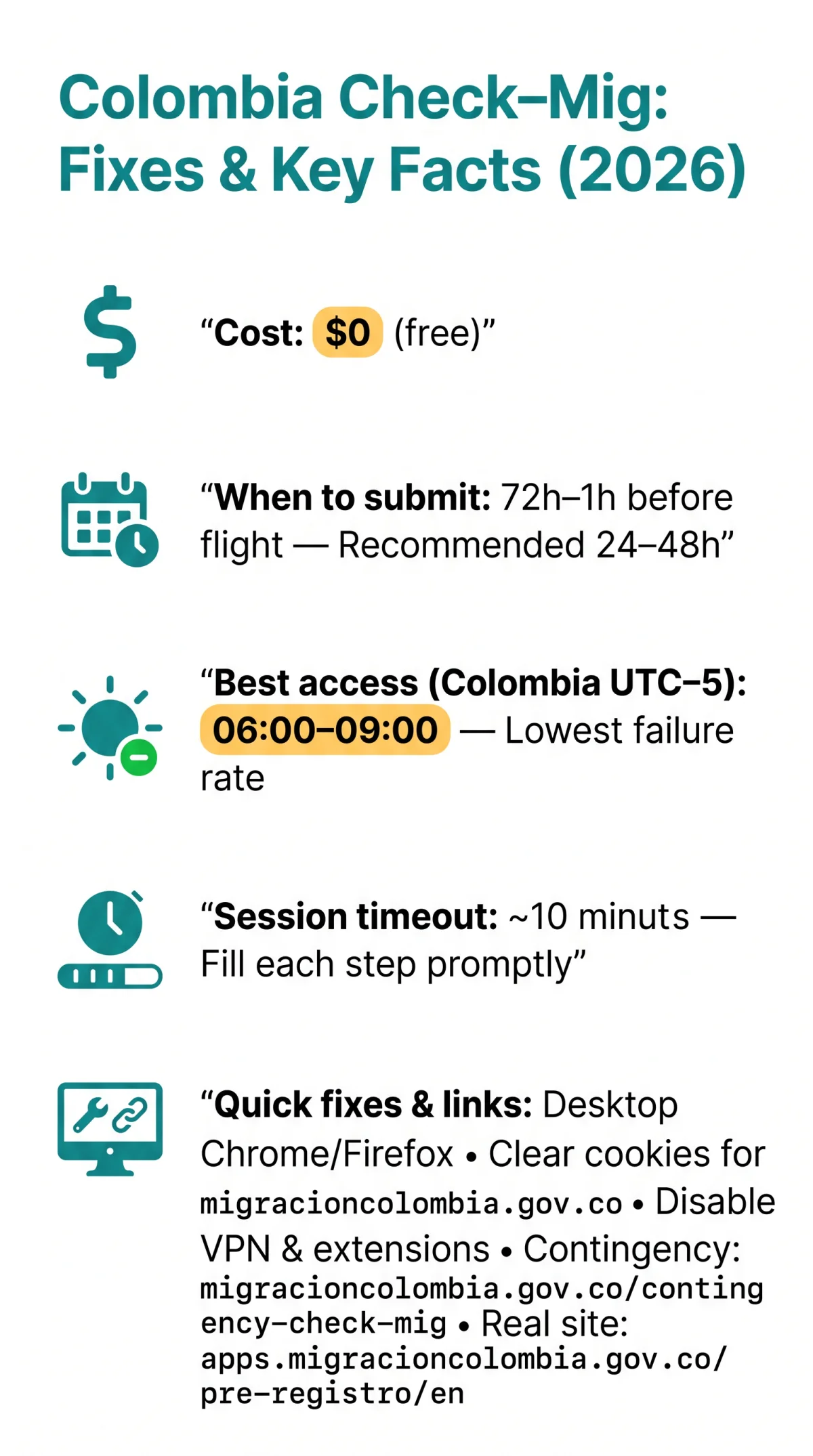
If your colombia check mig not working issue involves a blank page or server error, clear cookies for migracioncolombia.gov.co in Chrome (Settings → Privacy → Site Settings → Cookies) and disconnect your VPN – .gov.co firewalls block foreign VPN IPs. Try Google Chrome or Firefox on desktop. As a complete backup, use the contingency form at migracioncolombia.gov.co/contingency-check-mig.
Access the site between 6:00 and 9:00 AM Colombia time for the lowest failure rates. The main platform runs on JavaServer Faces, which discards sessions after 10 minutes of inactivity, causing blank screens during peak hours.
What Is the Check-Mig Form and Why Does It Matter?
Check-Mig is a free ($0) online immigration pre-registration form from Migración Colombia (Special Administrative Unit), optional since 2025 but still recommended. First introduced in 2020 during the Covid pandemic as a “touchless” form, the Check-Mig platform received a system update in late 2023 and health questions were removed. UK travellers should avoid third-party agencies that charge fees for this free service.
- Submission window: 72 hours to 1 hour before departure (recommended 24-48 hours)
- Directions: Required for both entry into and exit from Colombia
- Registration: Individual registration required; the same email is allowed for multiple entries
- Languages: Available in English, Spanish, and French
- Confirmation: A QR code is sent via email upon completion
Where to Find the Real Check-Mig Website
The real Colombia Check-Mig site lives at apps.migracioncolombia.gov.co/pre-registro/en. Always verify the .gov.co domain suffix and look for the Migración Colombia logo in the top-left corner of the start page to avoid scam copies that charge fees for a free ($0) form. When the primary Check-Mig site is down, a contingency form is available at migracioncolombia.gov.co/contingencia-check-mig.
Why the Check-Mig Website May Not Be Working
Check-Mig outages most commonly stem from server overload, peak-hour traffic, or stale browser session cookies. When the Colombia Check Mig website fails, the server discards sessions after 10 minutes of inactivity or refuses connections during Sunday evenings due to overload. A TripAdvisor thread with 43 replies confirms these failure modes are widespread among UK travellers.
The Blank Page Problem – JSF Session Timeout
The site runs on JavaServer Faces (JSF), discarding form state after ~10 minutes of inactivity, causing a blank white screen or a ViewExpiredException error. Fill each step promptly without switching tabs to avoid losing your data.
Common Error Messages Decoded
A “Bad Gateway” (502) means server overload – retry in 30-60 minutes or switch to the contingency form. Empty dropdowns or unresponsive buttons indicate a browser extension conflict, not a server fault.
| Time (Colombia, UTC-5) | Time (UK, BST) | Server Load | Recommendation |
|---|---|---|---|
| 06:00-09:00 weekdays | 12:00-15:00 | Low | ✅ Best window |
| 18:00-22:00 weekdays | 00:00-04:00 | Medium | ⚠️ Acceptable |
| Sunday evenings & holidays | Varies | High | ❌ Avoid |
Quick Fixes and Hidden Causes
Switch to Chrome or Firefox on desktop, clear cookies for migracioncolombia.gov.co, disable extensions and VPNs, and refresh to resolve most colombia check mig not working errors. Follow these steps:
Switch to a desktop browser
Chrome, Firefox, Edge, or Safari on desktop produce the lowest error rate; there is no dedicated Check-Mig app, and mobile browsers break the .jsf form scripts.
Disable auto-translate
Google Translate and DeepL rewrite <select> DOM elements, silently breaking JSF validation. In Chrome, click the translate icon in the address bar and turn off “Always translate Spanish.”
Clear cookies for migracioncolombia.gov.co only
in Chrome: Settings → Privacy → Site Settings → Cookies → search the domain → Delete. Do not clear all browser data.
Disable ad-blockers and privacy extensions
uBlock Origin and Brave Shields block the JavaScript validation scripts the Colombia Check Mig website requires. Whitelist the domain or disable the extension during form completion.
Disconnect your VPN
the .gov.co firewall blocks foreign VPN IP ranges, causing connection timeouts for UK users. Switch to mobile data or standard Wi-Fi.
Refresh and fill each step promptly
to avoid the 10-minute session timeout.
The Contingency Form – Your Backup When the Main Site Is Down
Use migracioncolombia.gov.co/contingency-check-mig when the main Check-Mig site is down – this backup form generates the same QR confirmation code.
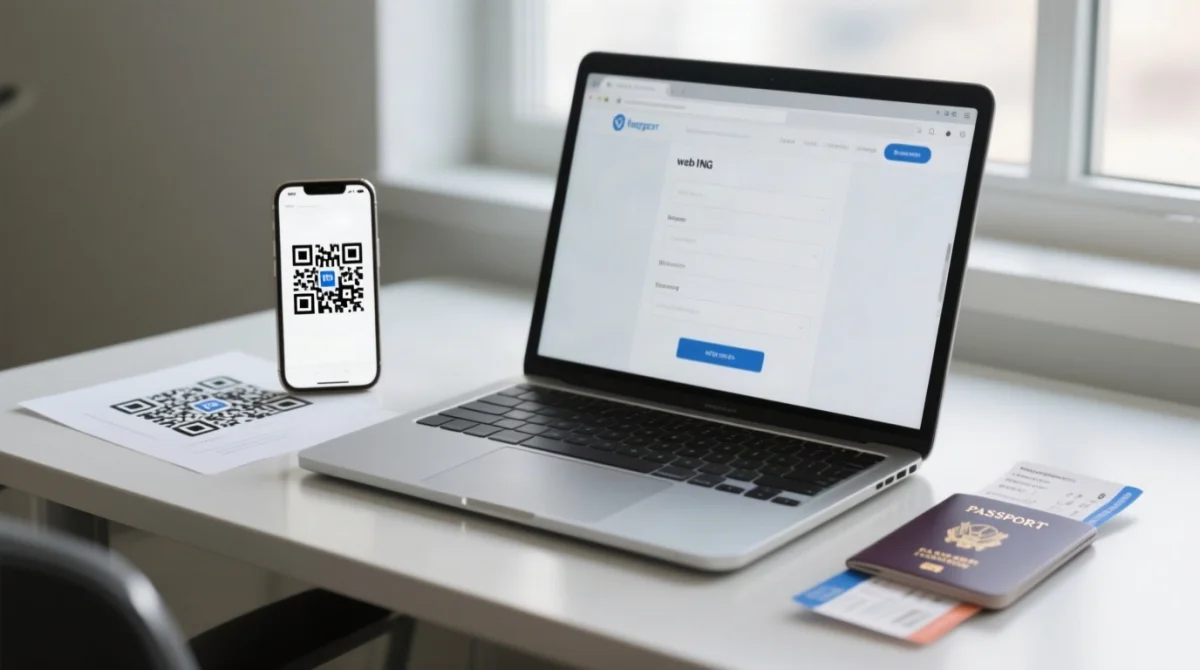
It accepts the same data – passport details, flight number, accommodation address – and returns a QR code by email identical to the primary system’s output.
Navigate to the contingency URL
Use a desktop browser (Chrome, Firefox, or Edge).
Enter your details
Passport details, flight number, arrival date, and accommodation address in Colombia.
Submit the form
Wait for the confirmation email containing your QR code.
Screenshot or save the QR code
For presentation at check-in and immigration.
Common Data Entry Mistakes That Cause Errors
The Colombia Check-Mig website rejects flight numbers with leading zeros – strip them before entering (e.g., “0123” becomes “123”). For codeshare flights, use the operating carrier’s two-letter code, not the marketing airline’s (e.g., a BA codeshare operated by Avianca requires “AV” + flight number). Replace accented and special characters with plain ASCII: “O’Brien” becomes “OBrien”, “Ñ” becomes “N”.
QR Code Not Scanning?
Save the QR code as a PNG file at a minimum resolution of 300×300 px. Use the email attachment directly rather than photographing a screen. Display the code at full brightness on your phone at the airline check-in desk and immigration checkpoint.
Last Resort – Contact Migración Colombia and Airport Advice
If all steps fail, contact Migración Colombia via @MigracionCol on X (Twitter). Before sending a request, prepare your full name, passport number, flight number, departure date, and a screenshot of the error displayed by the Colombia Check Mig website.
- Monitor
@MigracionColon X (Twitter) for scheduled maintenance announcements and outage confirmations. - Include in every support request: full name as printed in your passport, passport number, flight number, departure date, and a screenshot of the error.
- Total outage protocol: during a full system failure, gate agents outside Colombia cannot verify Check-Mig completion – passengers must not be denied boarding due to a missing form.
- UK airport fallback: call BA, LATAM, or Avianca at least 24 hours before departure to confirm whether paper contingency slips are available at Heathrow or Gatwick check-in desks.
Check-Mig Troubleshooting FAQ
Why is the Check-Mig website showing a blank page?
JSF discards form state after ~10 minutes, producing a blank page. Fix: clear cache and restart, filling each step quickly without switching tabs.
What does ‘View Expired’ mean on the Check-Mig form?
This is a JSF session timeout error – the server discarded your form data due to inactivity. Restart the form and fill it out more quickly.
Is Check-Mig still required for Colombia in 2026?
It has been optional since 2025, but Migración Colombia still recommends completing it, as airlines may ask for it during check-in and it shortens immigration queues on arrival.
Can I use a VPN to access Check-Mig from the UK?
No, .gov.co firewalls frequently block foreign VPN IP ranges, causing connection timeouts. Disconnect your VPN before accessing the form, or try mobile data.
How do I know I’m on the real Check-Mig website?
Verify the .gov.co domain suffix in the URL and look for the Migración Colombia logo in the top-left corner. The correct URL is apps.migracioncolombia.gov.co/pre-registro/en.
What if Check-Mig won’t accept my flight number?
Remove leading zeros and, for codeshare flights, use the operating carrier’s two-letter code instead of the marketing carrier’s code (e.g., AV instead of BA for an Avianca-operated codeshare).
Is there a Check-Mig mobile app?
There is no dedicated app. The portal can be accessed on mobile, but desktop Chrome or Firefox is far more reliable for the .jsf form scripts.
How long before my flight should I complete Check-Mig?
Submit between 72 hours and 1 hour before departure; completing it 24 to 48 hours in advance is recommended to allow time for troubleshooting.
What if I arrive without Check-Mig?
You will not be denied entry, but longer queues may apply. Use the contingency form or ask for a paper slip at UK airport check-in desks if available.