
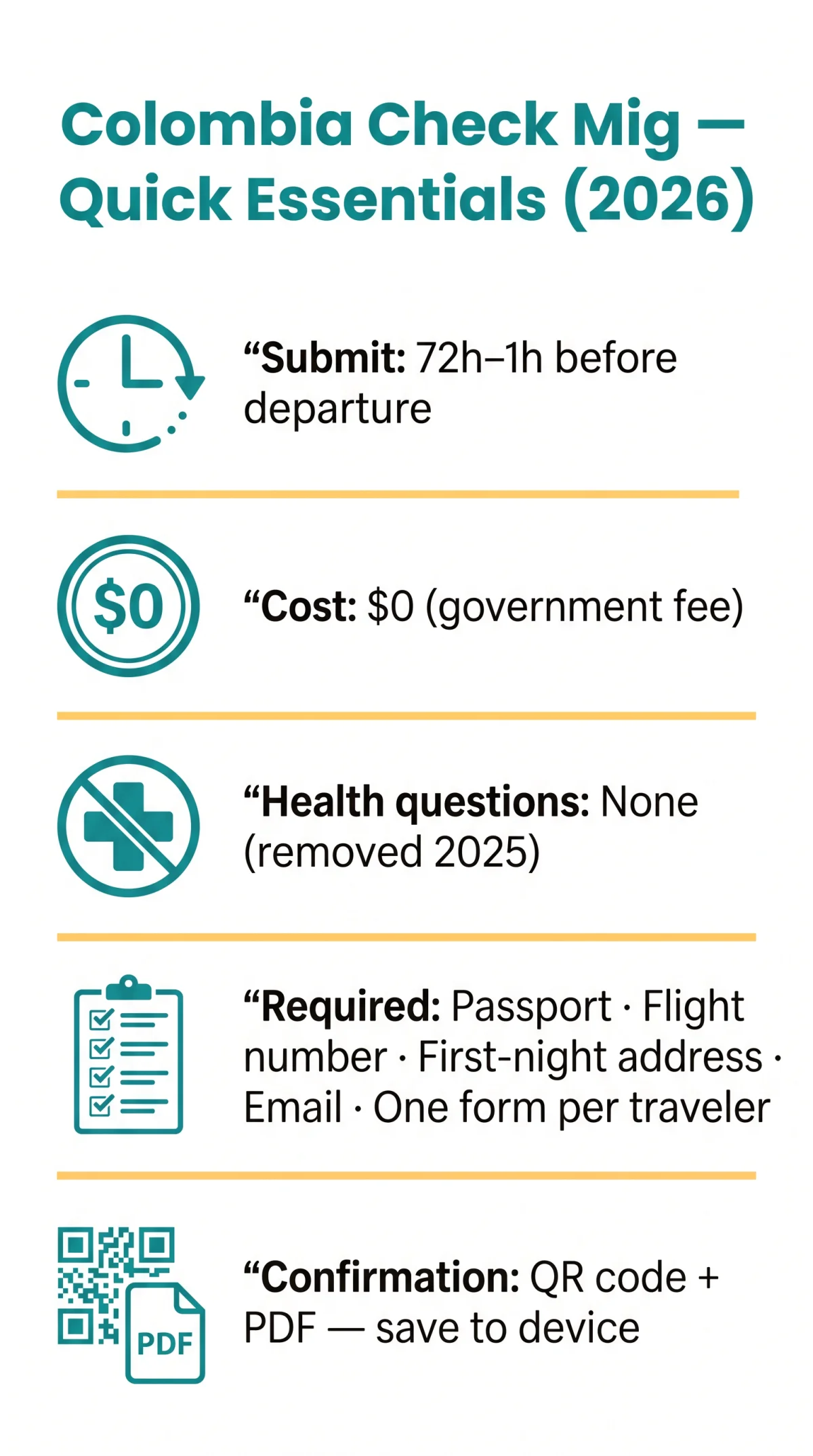
The Colombia Check Mig form in 2026 no longer includes health declaration questions. These COVID-era fields were removed after the pandemic emergency ended. The travel history section asks you to list recent countries visited and trip dates, while the accommodation section requires your Colombian address formatted by department, municipality, and street. The form is free to complete on the Migración Colombia portal and must be submitted 72 hours to 1 hour before departure.
Although the Colombia Check Mig form became optional in early 2025, completing it remains strongly recommended to reduce immigration wait times. Airlines may still request your QR code confirmation at check-in, and without it you risk denied boarding. I personally completed the Colombia Check Mig form in March 2026 for a trip to Bogotá and can confirm that no health questions appear. The steps below reflect my direct experience and feedback from fellow travellers. Last verified: 8 September 2026.
Preparing the correct details beforehand prevents delays. You will need your valid passport, flight number, trip purpose (tourism, business, study, or transit), and the exact address of your first night’s accommodation in Colombia to complete the digital pre-registration accurately.
What the Colombia Check Mig Form Is and What You Need to Complete It
The Colombia Check Mig form is a free pre-arrival immigration pre-registration managed by Migración Colombia, optional since early 2025 but strongly recommended.
The form applies to all travellers entering or leaving Colombia by air, land, or sea. The submission window opens 72 hours before your scheduled departure and closes 1 hour before departure. The government fee is $0; third-party processing fees are service surcharges, not statutory charges.
To complete the Colombia Check Mig questions, prepare your valid passport, flight number (use the operating carrier code, remove leading zeros), trip purpose, Colombian accommodation address, and a contact email address. Submit via the Migración Colombia pre-registration portal. The portal is available in Spanish, English, and French; Spanish is recommended to minimise validation errors. Confirmation arrives as a QR code and downloadable PDF for presentation at check-in and immigration control. The form does not replace a visa, passport, or onward-travel evidence.
Migración Colombia also operates BIOMIG, a voluntary biometric processing system using iris scans at selected checkpoints. Non-automated immigration channels remain available at all times. BIOMIG collects sensitive data and requires user consent.
Health Questions on the Colombia Check Mig Form: What to Expect in 2026
2020
First adopted as “touchless” pandemic screening tool
Early 2025
Form became optional
2025
COVID-19 fields permanently removed
2026
Zero health questions remain
What Health Questions Used to Look Like
The Colombia Check Mig form, first adopted in 2020 as a “touchless” pandemic screening tool, originally required travellers to declare fever, cough, shortness of breath, recent COVID-19 diagnosis, and contact-tracing exposure. These fields were removed after the pandemic emergency ended and have not returned.
Will Health Questions Return in the Future?
Migración Colombia may reinstate health screening during future public health emergencies at its discretion. Before travel, verify the current form structure on the Migración Colombia pre-registration portal.
Understanding the Travel History Section on the Colombia Check Mig Form
The travel history questions on the Colombia Check Mig form require you to list recent countries visited with date ranges to screen for yellow fever risk and immigration compliance. Travellers with zero prior international trips should leave the relevant fields blank or select N/A.
Which Trips Should You List?
The Colombia Check Mig form distinguishes between actual visits and brief transits. You must list overnight stays and land crossings, but connecting flights without clearing immigration do not count as a visited country. A short layover where you remain airside does not require listing.
Arriving from a Yellow Fever Endemic Country?
The travel history section of the Colombia Check Mig form serves to identify yellow fever exposure. While the digital form itself may not request vaccination certificate details, arriving from an endemic country requires presenting the WHO International Certificate of Vaccination at the border.
How to Enter Your Accommodation Address on the Colombia Check Mig Form
The accommodation field on the Colombia Check Mig form requires a Colombian address structured as Department, Municipality, Street Type, and Number. No document upload is needed; enter plain text only.

Select Department & Municipality
Choose from dropdown menus (e.g., Cundinamarca, Bolívar, Antioquia; Bogotá, Cartagena, Medellín)
Choose Street Type
Calle, Carrera, Diagonal, Transversal, Avenida, or Kilometro
Enter Street Name, Number & Complement
Include any apartment or suite details
Add Accommodation Phone
Use country code +57 for Colombian landlines (e.g., +57 1 XXXX-XXXX)
The Colombia Check Mig form cannot be edited after submission. A changed hotel booking requires an entirely new submission.
Staying at an Airbnb or Private Rental?
Enter the host’s name and the property address exactly as shown on your booking confirmation. The Colombia Check Mig form treats private rentals identically to hotels; no host Cédula number is required.
Visiting Multiple Cities – Which Address Do You Enter?
Enter your first night’s accommodation. The form accepts a single address entry, so list the hotel or rental where you will stay immediately upon arrival.
Avoiding Mistakes and Submitting for Groups on the Colombia Check Mig Form
The Colombia Check Mig form cannot be edited after submission; a changed hotel booking requires a new submission. Always review your answers before finalising.
- Flight number errors: remove leading zeros and enter the operating carrier’s code, not the marketing airline’s number for codeshare flights.
- Date format confusion: use the date format required by the portal (e.g., DD/MM/YYYY). Check the field validation before entering travel dates.
- Group submissions: each traveller, including children, needs an individual form; a parent or guardian completes the Colombia Check Mig on behalf of minors. The same email address is permitted for multiple family members.
- Frequent traveller feature: the Colombia Check Mig portal allows you to save data for future submissions, reducing re-entry on subsequent trips.
Saving Your Colombia Check Mig Confirmation and Troubleshooting
The Colombia Check Mig form generates a confirmation comprising a QR code and a downloadable PDF, which you must present at airline check-in and immigration control. The confirmation does not guarantee boarding or entry to Colombia; without it, you risk denied boarding.
The Colombia Check Mig form sends the confirmation to the email address you provided. Save both the PDF and the QR code to your device before travelling, and check your spam folder if the message does not arrive within minutes.
If the portal fails, use the contingency form at migracioncolombia.gov.co/contingencia-check-mig. For the primary portal, Google Chrome is the recommended browser to minimise validation errors.
Avoid third-party services charging a processing fee. The Colombia Check Mig form is free ($0 government fee) on the Migración Colombia portal; any charge from a commercial site is a service surcharge, not a statutory requirement.
Colombia Check Mig Questions FAQ
Do I need to answer health questions on the Colombia Check Mig form in 2026?
No. All health-related questions, including COVID-19 symptom checks and vaccination status fields, were permanently removed after the pandemic emergency ended. The 2026 Colombia Check Mig form contains no health declaration section.
What travel history information does the Colombia Check Mig form ask for?
The travel history section requires you to list recent countries visited with specific date ranges, primarily for yellow fever risk assessment. If you have zero prior international trips, leave the field blank or select N/A.
How do I format a Colombian address for the Check Mig accommodation field?
Enter the address using the hierarchy: Department, Municipality, Street Type (Calle, Carrera, Diagonal, Transversal, Avenida, or Kilometro), Street Name, Number, and Complement. An example format is Carrera 7 # 32-16. No document upload is required.
Can I enter an Airbnb address instead of a hotel on the Check Mig form?
Yes. Enter the host name and the property address exactly as shown on your booking confirmation, using the standard Colombian address structure of Department, Municipality, and street details.
What trip purpose should I select on the Colombia Check Mig form?
Choose “Tourism” for holidays, “Business” for work trips, “Study” for academic visits, or “Transit” if passing through. Select the option that matches your primary activity in Colombia.
What happens if I make a mistake after submitting my Check Mig?
The form cannot be edited after submission. If you make an error, such as a changed hotel booking or incorrect flight number, you must submit an entirely new Colombia Check Mig form with the corrected information.
Is the Colombia Check Mig form free, or do I need to pay a third-party service?
The form is free on the Migración Colombia portal; third-party fees are optional surcharges.
Do children need a separate Check Mig form when travelling to Colombia?
Yes. Every traveller, including children and minors, requires an individual registration. A parent or guardian must complete the form on behalf of minors. The same email address can be used for multiple family members.
How long before my flight should I submit the Check Mig form?
You must submit the form between 72 hours and 1 hour before your scheduled departure time. Submitting 24 to 48 hours before travel is recommended for optimal processing.
What documents do I need before filling out the Check Mig questions?
Before starting, ensure you have your valid passport or travel document, your flight number, your Colombian accommodation address, and a valid email address. For flight numbers, remove leading zeros and use the operating carrier’s code for codeshare flights.
I’m transiting through Colombia – do I still need to complete the Check Mig?
If you do not clear Colombian immigration during your transit, you may be exempt from completing the Colombia Check Mig form. Check with your airline before travel to confirm whether submission is required.
Will the Colombia Check Mig form ask about yellow fever vaccination?
The form does not request vaccination details, but arriving from a yellow fever endemic country requires presenting the WHO International Certificate at the border.
Can I use the same email for my whole family’s Check Mig submissions?
Yes. The same email address can be used for multiple family members when submitting their individual Colombia Check Mig forms.
What should I enter as accommodation if I’m transiting through Colombia?
Enter your transit hotel if you have one, or select “Transit” if you have no accommodation. If you remain airside without clearing immigration, you may be exempt from the form entirely.
How do I save my Check Mig QR code and confirmation?
Download the PDF after submission and check your email, including your spam folder. Save both the PDF and the QR code to your device before travelling for presentation at check-in and immigration.