

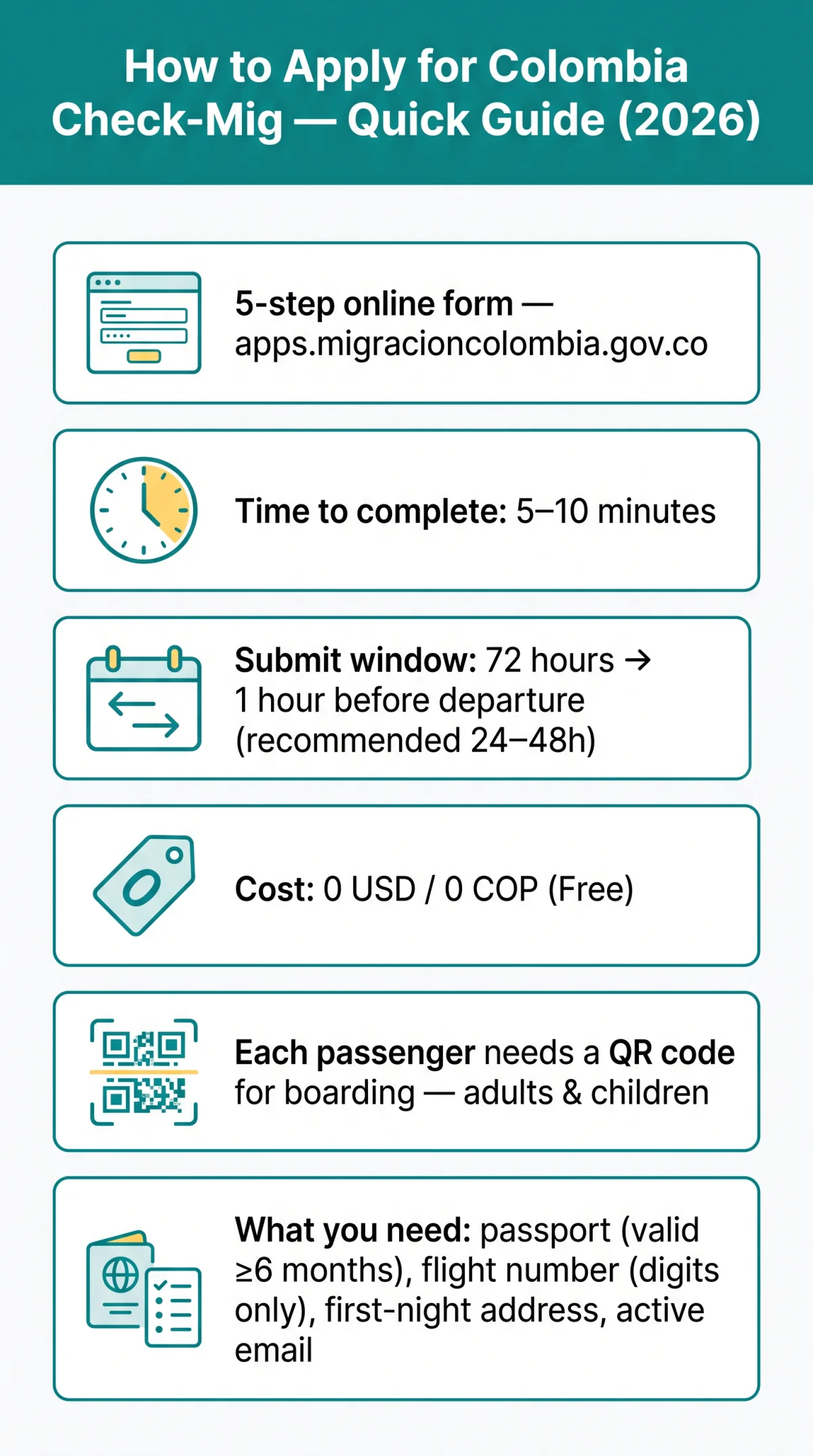
To apply for Colombia Check Mig, visit the Migración Colombia portal at apps.migracioncolombia.gov.co, select English, and complete the 5-step form. The application is free, takes 5 to 10 minutes, and must be submitted between 72 hours and 1 hour before departure. You will receive a QR code required for boarding.
What Is the Colombia Check-Mig Form?
The Colombia Check-Mig is a free digital pre-registration form from Migración Colombia for all air passengers entering or leaving the country.
The Special Administrative Unit Migración Colombia issues the form at no cost (0 USD / 0 COP). Although officially recommended by Migración Colombia, airlines treat it as mandatory for boarding and may deny check-in without a valid QR code.
The Check-Mig does not replace a visa, entry permit, or passport. British passport holders benefit from a 90-day visa-free stay in Colombia but must still complete the form regardless of visa status. For a broader overview of current rules, see our Colombia Check Mig 2026 guide.
Who Needs to Complete the Check-Mig Before Flying?
Every air passenger, including adults and children separately, must complete Check-Mig before flying to Colombia.
- All international air travellers entering or leaving Colombia must submit the form, regardless of nationality.
- Each child and infant requires an individual Check-Mig application completed by a parent or legal guardian using the child’s own passport details.
- UK citizens benefit from a visa-free stay of up to 90 days, but Check-Mig remains mandatory regardless of visa exemption status.
- Check-Mig does not apply to land border crossings into Colombia – only air and fluvial arrivals are covered. For full details on who is exempt, read our guide to Check Mig exemptions in 2026.
- Airlines may deny boarding without a valid QR code confirmation at check-in.
What You Need Before Starting the Application
Before starting, gather the following data to prevent mid-session errors:
| Information Needed | Where to Find It (Example) |
|---|---|
| Full legal name and surname(s) | Passport data page – enter character-by-character, no nicknames |
| Passport number | Passport data page – must be valid at least 6 months from date of arrival |
| Nationality and country of birth | Passport data page – select “Reino Unido” for the UK in the dropdown |
| Flight number (digits only) | Booking confirmation – enter 203 not BA203; omit the IATA airline code |
| Arrival date in Colombia | Flight itinerary – format DD/MM/YYYY |
| First-night accommodation name and address | Hotel booking confirmation – use the exact property name as printed |
| Active email address | Your inbox – the Colombia Check Mig confirmation email arrives from @migracioncolombia.gov.co |
When and Where to Submit Your Check-Mig Application
Access the Colombia Check Mig form at apps.migracioncolombia.gov.co between 72 hours and 1 hour before departure without creating an account. For a detailed explanation of the submission window and form validity, see our guide on the Check-Mig 72-hour submission window.
Open the portal
Navigate to apps.migracioncolombia.gov.co/pre-registro/en using Google Chrome or Firefox. No registration or login is required.
Select your language
Choose English, Spanish, or French. Country dropdown values remain in Spanish regardless of language selected (e.g. “Reino Unido” for the United Kingdom).
Submit within the window
The portal accepts submissions from 72 hours down to 1 hour before departure. Recommended timing is 24 to 48 hours before your flight.
If the page freezes, clear your browser cache or use incognito mode. A frequent-traveller account is optional for saving personal details across repeat submissions.
Check-Mig Steps 1 to 3: Language, Trip Type, and Travel Info
The first three steps of the Colombia Check Mig application process cover language selection, trip type, transport mode, and flight details.
Step 1 – Select Your Language and Accept the Privacy Policy
On the landing page, choose English from the language selector. Tick the mandatory privacy-policy checkbox to proceed. Dropdown country names stay in Spanish (e.g. “Reino Unido”) even on the English interface – this is expected, not a bug.
Step 2 – Choose Your Trip Type and Mode of Transport
UK tourists arriving by air select Ingreso (arrival) and Aéreo (air transport). Then pick your first Colombian airport of entry from the dropdown (e.g. Bogotá El Dorado, Medellín José María Córdova, Cartagena Rafael Núñez). If connecting domestically, select the airport of first arrival in Colombia.
Step 3 – Enter Your Flight and Travel Details
Type your flight number using digits only – enter 203, not BA203. Provide departure and arrival dates in DD/MM/YYYY format. Select your airline from the dropdown. For origin country, choose Reino Unido (the Spanish name for the United Kingdom). No document upload is required – the Colombia Check Mig form is entirely text-based.
Check-Mig Steps 4 to 5: Personal Data, Accommodation, and Submission
Steps 4 and 5 of the Colombia Check Mig online application process cover personal details, passport information, accommodation, health questions, and final submission.
Step 4 – Enter Personal Details, Passport Information, and Accommodation
Select “Reino Unido” for UK nationality, as the dropdown remains in Spanish even on the English interface. Enter your passport number exactly as printed, matching every character. Your passport must be valid for at least 6 months from arrival. Provide the full name and address of your first-night accommodation in Colombia.
Step 5 – Answer Health and Security Questions, Review, and Submit
Answer the yes/no health questions honestly, review the summary, then click “Enviar” (Submit). Upon submission, a QR code appears on-screen and a confirmation email arrives within minutes from a @migracioncolombia.gov.co sender. Check your spam folder if the email has not arrived after 10 minutes.
No Document Uploads and No Fees Required
The Colombia Check Mig is entirely text-based – no passport scan, photo, or booking upload needed.
The Colombia Check Mig is free of charge, costing 0 USD / 0 COP. Unlike the US ESTA ($21) or the Canadian eTA, no payment step exists on the Migración Colombia portal. For more on what to do if asked to pay, read our guide on Colombia Check Mig cost and fees.
If a website asks for payment, it is not the legitimate portal. Third-party services such as iVisa (from $69.99) and JsdBiz (from $45) charge fees but are not the Migración Colombia platform. Red-flag indicators of fraudulent sites include payment requests, URLs not ending in gov.co, and misspellings such as “Columbia” instead of “Colombia”. Learn more in our article on Colombia Check Mig scams and how to avoid them.
Saving, Printing, and Presenting Your Confirmation
After submitting, immediately download the PDF, screenshot the QR code, and print a hard copy for your carry-on bag.
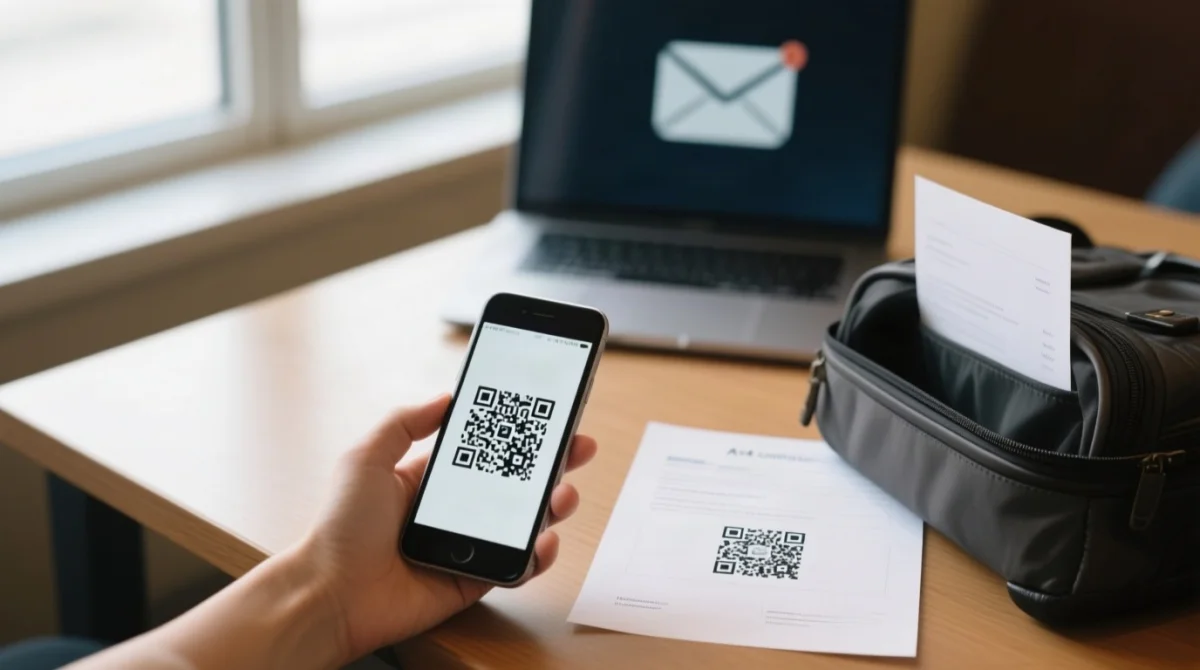
Implement a 3-folder backup system:
- Phone gallery: Take a screenshot of the on-screen QR code instantly.
- Email attachment: The system sends a PDF confirmation from @migracioncolombia.gov.co within minutes; forward it to yourself as a backup.
- Printed copy: Print the PDF and keep it in your carry-on bag for airline staff.
Travelling with Family and Amending Mistakes
Every individual needs a separate Colombia Check-Mig; to correct errors after submitting, submit a completely new application.
No group submissions. Each adult and each child/infant needs a separate form; the parent uses the child’s passport. Complete all family applications back-to-back to keep details consistent across entries. For a detailed walkthrough, see our guide on filling out the Check-Mig form for infants, minors, and family groups.
Once you click Submit, the Colombia Check-Mig form cannot be edited. To correct a wrong passport number, misspelled name, incorrect flight number, or wrong arrival date, you must submit a completely new application with the accurate data. There is no penalty and no limit on re-submissions, and the form remains free of charge (0 COP / 0 USD). The process takes roughly 5 minutes to repeat.
Your previous QR code is superseded by the new one. Save the most recent confirmation PDF and discard the old version to avoid confusion at check-in or immigration control.
Troubleshooting Common Check-Mig Form Errors
The Portal Freezes or Won’t Load
Clear your browser cache, open an incognito/private window, and switch to Google Chrome or Firefox. Disable any active VPN connection before reloading the page. For more solutions, see our guide on fixing Check-Mig website errors.
Country Names Appearing in Spanish in Dropdowns
This is expected behaviour even on the English interface. For the United Kingdom, select “Reino Unido”; for the United States, select “Estados Unidos”. Do not search for an English-language option.
Confirmation Email Hasn’t Arrived
Wait up to 10 minutes, then check your spam or junk folder. Verify the sender domain ends in @migracioncolombia.gov.co. Confirm you typed the correct email address with the .co extension, not .com.
Flight Number Format Causes an Error
Enter digits only. For example, type 203 for flight BA203. If the field auto-populates with airline IATA code letters, delete them before submitting.
Frequently Asked Questions (FAQ)
Does the Check-Mig apply to land or sea border crossings into Colombia?
Check-Mig is required for air travel only; land/sea arrivals do not need it. UK tourists entering by air must complete the form, but those arriving by bus or land do not.
Do I need Check-Mig for a connecting flight through Colombia (airside transit)?
Yes, all international air passengers entering or leaving Colombia must complete the Check-Mig. If you are connecting through Colombia, submit your application before your first flight. The form is mandatory for all air travellers, including those on connecting flights.
How far in advance should I submit my Check-Mig before my flight?
You can submit your Check-Mig application between 72 hours and 1 hour before your departure. For the best experience, complete the form 24 to 48 hours before your flight to receive your QR code confirmation well in advance.
Can I complete the Check-Mig on my phone?
Yes, you can complete the Check-Mig on your phone using a web browser like Google Chrome or Firefox. The portal is entirely web-based and does not require a mobile app. However, using a desktop web browser is recommended as it is easier to navigate than a mobile interface.
What happens if my passport expires within 6 months of my travel date?
Your passport must be valid for at least 6 months from your date of arrival in Colombia. If your passport expires within this timeframe, you may face issues with airline boarding and immigration control. Ensure you renew your passport before submitting your Check-Mig application.
I’m a UK citizen – do I need a visa as well as Check-Mig?
UK citizens can stay in Colombia visa-free for up to 90 days. The Check-Mig is a mandatory pre-registration form, but it does not replace a visa, entry permit, or passport. You must complete the Check-Mig regardless of your visa-free status to get your QR code for boarding. If you wish to extend your stay beyond 90 days, you can apply for a Prórroga de Permanencia (PTP) online via the Migración Colombia website, recommended 10 to 15 days before your initial permit expires. The PTP grants up to an additional 90 days, with a maximum cumulative stay of 180 days per calendar year. The processing time is approximately 3 business days and the fee is around 150,000 COP.
I made a typo in my name – can I edit my submitted Check-Mig?
No, you cannot edit a submitted Check-Mig form. If you made a typo or mistake, you must submit a completely new application with the correct details. There is no penalty or fee for re-submission. Simply complete a fresh form and use the new QR code, discarding the old one.
Is there a Check-Mig mobile app, or is it web-only?
The Check-Mig is a web-only form accessed through the Migración Colombia portal. There is no mobile app required, and you do not need to create an account. You can use any modern web browser like Google Chrome or Firefox to complete the one-time session online.
What if I arrive in Colombia by bus from Ecuador – do I still need Check-Mig?
No. Check-Mig does not apply to land border crossings into Colombia. If you arrive by bus from Ecuador, you do not need to complete the form. The requirement applies to air and fluvial arrivals only.
Last reviewed: September 2026. This procedure is verified against the official Migración Colombia portal at apps.migracioncolombia.gov.co. For the latest requirements, consult the Migración Colombia website or contact your airline before travel.
This guide is for informational purposes only and does not constitute legal advice. Always verify requirements with Migración Colombia or your airline before travel.